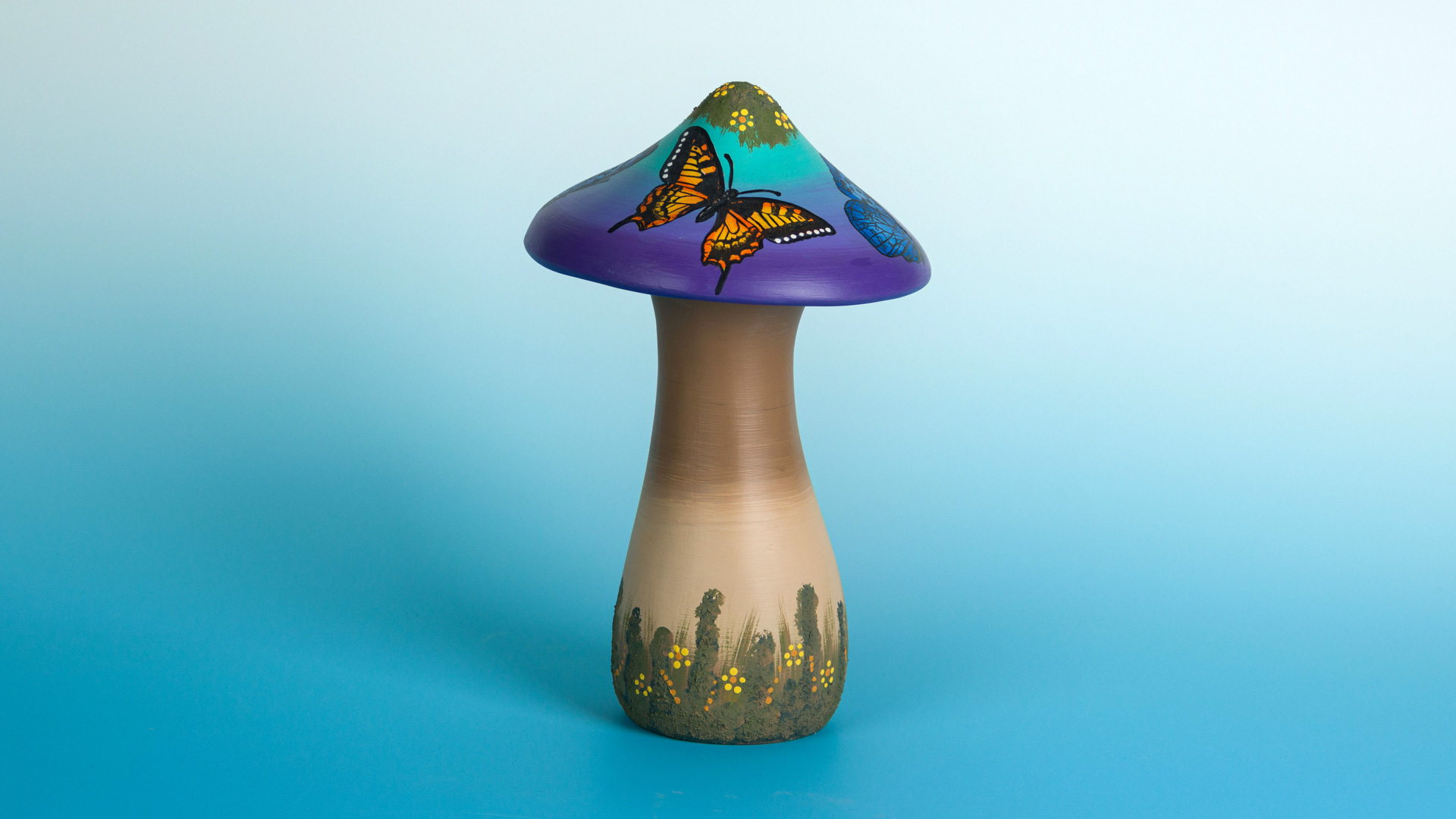
- Begin with properly fired shelf cone 04 bisque. Moisten a clean sponge and wipe bisque to remove any dust.
- Center the mushroom top on the banding wheel.
- Place some of the following colors on a plate: OS469 Light Turquoise; OS452 Purple; OS564 Pansy.
- Using a AB710 ¾ Flat Shader, starting at the top of the mushroom cap, apply OS469 Light Turquoise, coming down about 1/3rd of the way while spinning the banding wheel. Next apply OS452 Purple about 2/3rds of the way down. Finally apply OS564 Pansy to the final third of the way down towards the bottom of the mushroom. Allow to dry!
- Using a AB710 ¾ Flat Shader, apply OS484 Persimmon to the underside of the mushroom cap. Allow to dry!
- Using a DB803 #8 Round, drybrush the underside of the mushroom cap with OS438 Orange Peel. Highlight with OS435 Dark Yellow.
- Place the mushroom stem on the banding wheel.
- Using a AB710 ¾ Flat Shader, apply OS596 Medium Portrait to the center section of the mushroom stem. Ap ply OS471 Medium Brown to the top and bottom of the stem blending into the OS596 Medium Portrait. Allow to dry!
- Cut out both large Butterfly Silkscreens.
- On a paper plate, place a small puddle of OS474 Gray. To this add a few pinches of AC310 Silkscreen Medium and mix well with a Palette Kinfe to the consistency of Peanut Butter or Toothpaste. Push the mix in a puddle.
- Next, holding one of the butterfly screens centering it on the top of the mushroom cap. Using the Gray mix, screen the butterfly. Repeat on the opposite side of the cap.
- Next using the other butterfly, center between the other butterfly and screen this butterfly and then repeat on the opposite side. Place the screens immediately in water after you have used the screen to prevent the color to dry in the screen.
- Using a AB705 #5 Round apply OS435 Dark Yellow to the yellow butterflies. Allow to dry!
- Using a AB709 3/8 Angular Shader, shade the yellow butterflies with OS438 Orange Peel.
- Using a AB705 #5 Round apply OS457 Medium Blue to the blue butterflies. Allow to dry!
- Using a AB709 3/8 Angular Shader, shade the blue butterflies with OS459 Bright Blue. Allow to dry!
- On a paper plate. mix some OS476 Black with some AC310 Silkscreen Medium and mix well with a Palette Kinfe to the consistency of Peanut Butter or Toothpaste. Push the mix in a puddle.
- Align one of the butterfly screens back over the area that was screened, hold in place and screen the OS476 Black mix starting from the center out. You may have to clean the screen between applications. Allow the screen to dry between cleanings.
- Repeat for the other butterfly screen. Place the screens immediately in water after you have used the screen to prevent the color to dry in the screen and clean.
- Using the end of a brush handle add dots of OS431 White on the ends of the yellow butterfly wings.
- Put some AS964 No Fire Snow into a small cup, add some OS487 Olive Moss, then add a few drops of OS471 Medium brown to make a Green Brown moss color.
- Using a DB804 #3 Flat, stipple the Green Brown mix to the tip of the Mushroom cap and around the bottom of the stem to simulate moss growing.
- Streak some OS 487 Olive Moss in between the moss mix to simulate dome grass growing.
- Using the end of a brush handle, add dot cluster of OS435 Dark Yellow petals and OS571 Curry in the centers. Allow to dry!
- Using a AB710 ¾ Flat Shader apply 2 coats of AC502 Matte Sealer to both the cap and stem of the mushroom. If the sealer is applied to thick it can turn milky. If needed add a bit of water. Allow to dry!
- DO NOT FIRE!
Additional Adaptations & Tips if needed.
- Make sure that you mix the AC310 Silkscreen Medium with the product of choice well.
- A Palette Knife works best to mix the Medium and the color together.
- Do not add any water to the color mix. If the color mix is too thin, add a small amount of more Medium or if to think add some more color product.
- Make sure to clean the screen after use. You do not want the color mix to dry in the screen.
- The easiest way to clean the screen is to place it into a container of water that is larger than the screen. You do not want to jam the screen into a container that is too small, it adds a lot of wrinkles to the screen.